Most SaaS founders know they need a blog. Organic search is still the highest-ROI acquisition channel for startups. But actually adding a blog to your product? That’s where things get ugly.
You spin up WordPress on a subdomain. SEO authority leaks across two properties. Performance tanks. And now you’re maintaining a PHP application alongside your Node.js or Python stack. None of this is what you signed up for.
A headless blog API fixes all of this. You keep your existing frontend. You fetch structured JSON from an API. You render it however you want. No WordPress, no subdomain, no second tech stack.
Here’s how the Vibeblogger API works under the hood — with real endpoints, real code, and real performance numbers.
Why the Industry Is Going API-First
This isn’t a niche trend. The headless CMS market hit roughly $3–4 billion in 2024, growing at a 22% compound annual growth rate according to Market Research Future and SkyQuest. WP Engine’s State of Headless 2024 survey found that 73% of businesses already use headless architecture — up 14% from 2021.
For developers specifically, the shift is even more pronounced. A 2026 Global Growth Insights report found 64% of developers favor headless CMS because REST and GraphQL APIs reduce integration complexity by approximately 35%.
The reason is simple: SaaS products are built with modern frameworks — Next.js, Astro, SvelteKit, Remix. Bolting on a monolithic CMS doesn’t make architectural sense. An API-first approach lets you use your existing stack, your existing deployment pipeline, and your existing design system.
Performance benchmarks: headless + static generation vs WordPress — Source: Sigma7, 2026
| Metric | Headless + SSG (Next.js) | WordPress (Optimized) | WordPress (Typical) |
|---|
| LCP | 0.8–1.4s | 1.8–2.8s | 3.5–7s |
| INP | < 80ms | 100–200ms | 200–500ms+ |
| CLS | < 0.05 | 0.05–0.15 | 0.1–0.4+ |
| Lighthouse Score | 95–100 | 70–88 | 30–60 |
| TTFB | < 50ms (CDN edge) | 150–400ms | 400ms–2s |
Those numbers aren’t theoretical. Sigma7 measured them across real deployments. A headless CMS paired with static site generation serves pre-built HTML from a CDN edge, eliminating server-side rendering latency entirely. Your blog loads in under a second instead of 3–7 seconds.
For SEO, that matters. Google’s Core Web Vitals directly affect search rankings, and the gap between a headless setup and a typical WordPress install is massive.
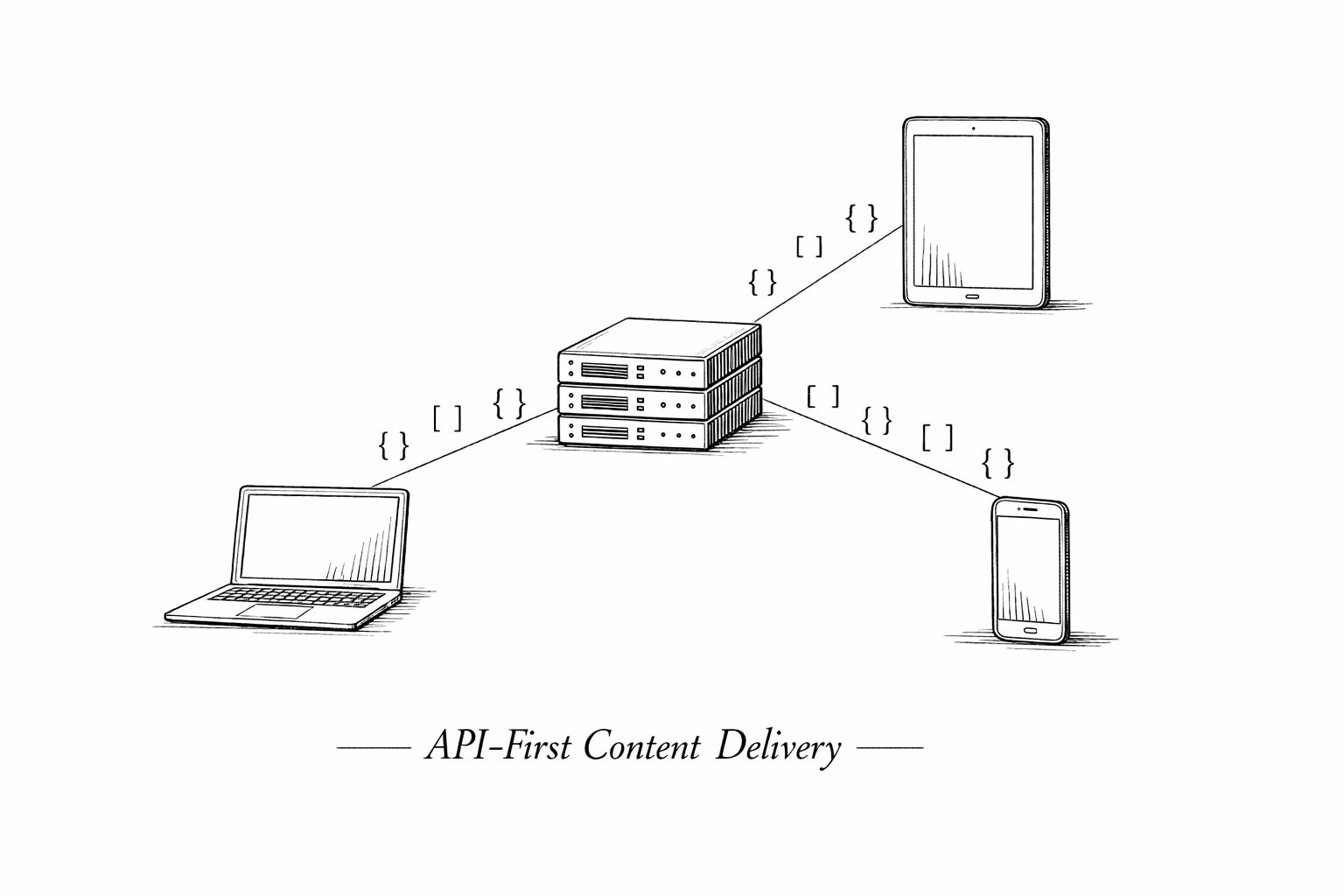
API-first architecture: one content backend, any frontend
The Vibeblogger API: What You Actually Get
The Vibeblogger headless blog API is a REST API that returns structured JSON. No GraphQL complexity, no SDK dependencies, no vendor lock-in. If your framework can make an HTTP request, you can integrate it.
Here’s the architecture in 30 seconds:
- Content lives in Vibeblogger. AI researches, writes, and publishes your posts — or you create them manually.
- Your app fetches via API. Two main endpoints: list posts and get a single post by slug.
- You render with your components. Posts come back as an array of typed components (rich text, images, callouts, code blocks, charts — 16 types total). You build a renderer once, and every post just works.
Authentication
Grab an API key from your dashboard. Pass it as a Bearer token.
# .env.local
VIBEBLOGGER_API_KEY=vb_live_your_key_here
const response = await fetch('https://vibeblogger.io/api/v1/posts', {
  headers: {
    'Authorization': `Bearer ${process.env.VIBEBLOGGER_API_KEY}`
  }
});

const { posts, pagination } = await response.json();
That’s it. No SDK to install, no client to initialize. One fetch call.
Endpoints
The API surface is intentionally small. Two endpoints cover 95% of what you need for a production blog.
Vibeblogger API endpoints
| Endpoint | Method | What It Does |
|---|
| ``/api/v1/posts`` | GET | List all published posts. Supports ``page``, ``limit``, ``category``, and ``tag`` query params. |
| ``/api/v1/posts/:slug`` | GET | Get a single post by slug. Returns full post data including all components. |
Rate limits are generous: 1,000 requests per hour per API key. Every response includes X-RateLimit-Remaining headers so you can monitor usage. For most SaaS blogs, you won’t come close to the limit — especially if you’re using static generation or ISR.
The Component System
This is where Vibeblogger differs from a typical headless CMS. Blog posts aren’t returned as a single HTML blob or a giant Markdown string. They come back as an ordered array of typed components.
{
  "post": {
    "title": "How We Scaled to 10K Users",
    "slug": "scaled-to-10k-users",
    "description": "The infrastructure changes that got us past 10K...",
    "featuredImage": "https://...",
    "readTime": 8,
    "tags": ["growth", "infrastructure"],
    "components": [
      { "type": "rich_text", "content": "## Introduction\nMarkdown content here..." },
      { "type": "callout", "variant": "info", "title": "Key Takeaway", "content": "..." },
      { "type": "code_block", "content": "const x = 1;", "metadata": { "language": "javascript" } },
      { "type": "image", "url": "https://...", "alt": "Architecture diagram" },
      { "type": "bar_chart", "data": { "title": "Growth", "chartData": [...] } }
    ]
  }
}
16 Component Types Available
rich_text, image, callout, quote, cta, video, table, bar_chart, line_chart, pie_chart, comparison_table, pros_cons, timeline, flowchart, step_by_step, and code_block. Each has typed fields, so you get full TypeScript safety in your renderer.
This matters because a component-based system gives you total design control. Your callout component can look however you want. Your code_block can use Prism, Shiki, or whatever syntax highlighter you prefer. Your bar_chart can render with Recharts, Chart.js, or D3.
You’re not fighting a CMS’s HTML output with CSS overrides. You’re rendering your own React (or Vue, or Svelte) components with structured data.
If you want the complete React component library for all 16 types, the docs page has a copy-paste renderer you can drop into your project.
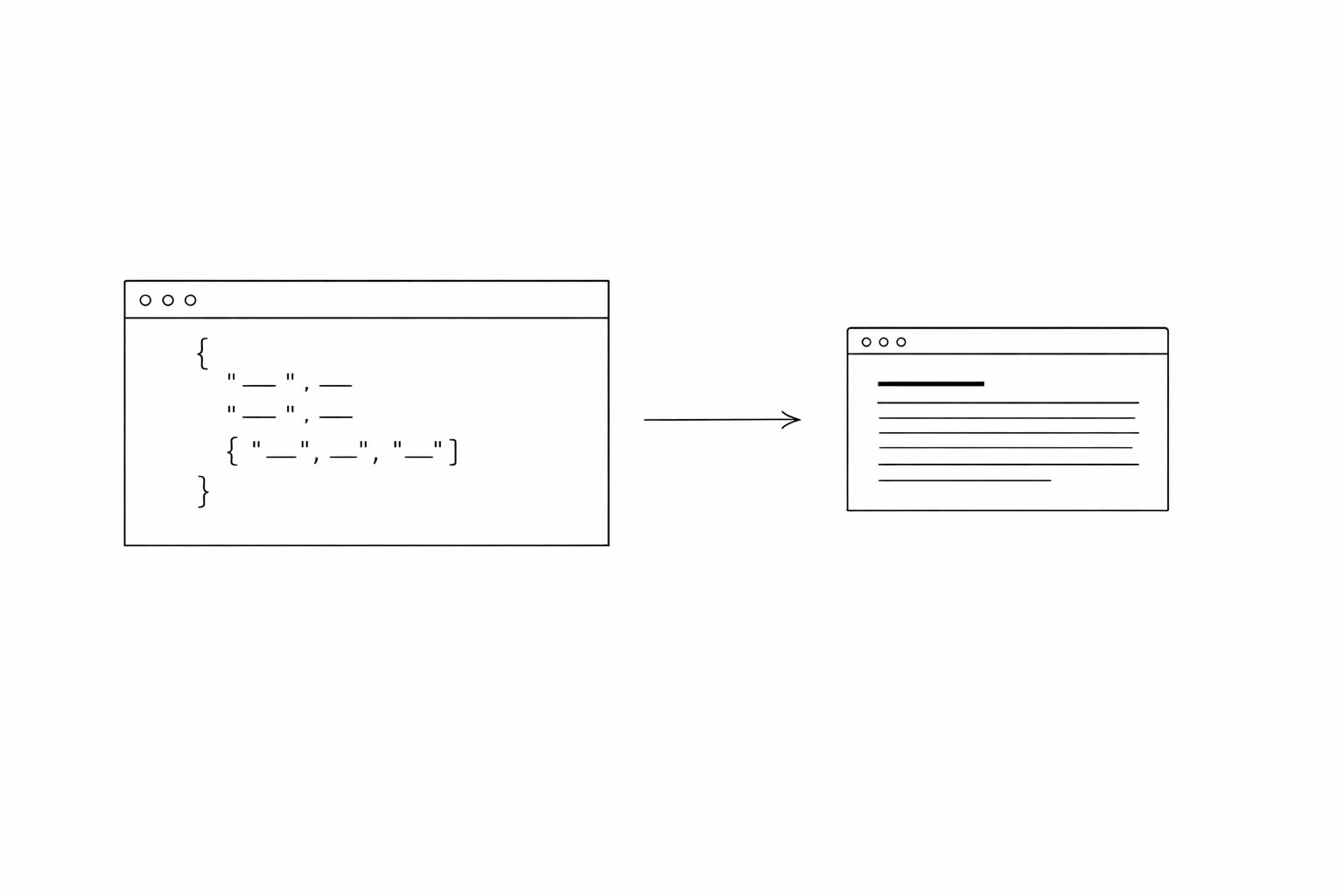
JSON in, rendered blog post out — you control every pixel
Integrating With Your Stack
The API works with any framework that can make HTTP requests. But here are the two most common patterns we see.
Next.js (App Router)
This is the most popular integration. Use server components to fetch at build time or request time — zero client-side JavaScript for your blog pages.
// app/blog/page.tsx
export default async function BlogIndex() {
  const res = await fetch('https://vibeblogger.io/api/v1/posts?limit=20', {
    headers: { 'Authorization': `Bearer ${process.env.VIBEBLOGGER_API_KEY}` },
    next: { revalidate: 3600 } // ISR: rebuild every hour
  });
  const { posts } = await res.json();

  return (
    <div>
      {posts.map(post => (
        <a key={post.slug} href={`/blog/${post.slug}`}>
          <h2>{post.title}</h2>
          <p>{post.description}</p>
        </a>
      ))}
    </div>
  );
}
// app/blog/[slug]/page.tsx
export default async function BlogPost({ params }: { params: { slug: string } }) {
  const res = await fetch(
    `https://vibeblogger.io/api/v1/posts/${params.slug}`,
    {
      headers: { 'Authorization': `Bearer ${process.env.VIBEBLOGGER_API_KEY}` },
      next: { revalidate: 3600 }
    }
  );
  const { post } = await res.json();

  return (
    <article>
      <h1>{post.title}</h1>
      {post.components.map((component, i) => (
        <BlogComponent key={i} component={component} />
      ))}
    </article>
  );
}
Astro
Astro’s static-first approach pairs perfectly with a headless blog API. Fetch at build time, ship zero JavaScript.
---
// src/pages/blog/[slug].astro
const { slug } = Astro.params;
const res = await fetch(`https://vibeblogger.io/api/v1/posts/${slug}`, {
  headers: { 'Authorization': `Bearer ${import.meta.env.VIBEBLOGGER_API_KEY}` }
});
const { post } = await res.json();
---

<article>
  <h1>{post.title}</h1>
  {post.components.map(c => <BlogComponent component={c} />)}
</article>
One Prompt, Entire Blog
Vibeblogger provides a setup prompt you can paste directly into Cursor, Claude Code, or any AI coding agent. It audits your site's existing SEO and builds the complete blog integration — component renderers, sitemap, RSS feed, structured data, Open Graph tags — in one shot.
The SEO Architecture That Actually Matters
A headless blog API gives you performance. But performance alone doesn’t get you ranked. You need the right SEO plumbing.
Here’s what matters and why — and if you’re going API-first for the first time, check out our post on what indie hackers get wrong with headless CMS SEO for the full list of gotchas.
Subdirectory, Not Subdomain
This is the single most expensive mistake SaaS founders make with blogs. A Backlinko study of 11.8 million search results found that subdirectories consistently outperform subdomains for competitive keywords. Real-world migration case studies back this up:
Documented subdomain-to-subdirectory migration results
| Company | Migration | Result |
|---|
| Monster.com | Subdomain → subdirectory | +116% visibility |
| Salesforce | Subdomain → subdirectory | +100% organic traffic (doubled) |
| Obility B2B client | Subdomain → subdirectory | +37% organic traffic (top posts), +36% homepage traffic |
Because Vibeblogger is a headless blog API, your blog lives at yourapp.com/blog — not blog.yourapp.com. All your blog content consolidates link equity and domain authority into your main property. No authority leakage.
Structured Data, Sitemaps, and RSS
The API response includes everything you need to generate proper SEO metadata:
- SEO title and description for each post (separate from the display title)
- Published date, modified date, author data for Article structured data (JSON-LD)
- Slug and canonical URL for sitemap generation
- Tags and categories for content organization
The setup prompt we mentioned earlier builds all of this automatically — sitemap.xml, RSS feed, JSON-LD structured data, Open Graph tags, canonical URLs. You don’t wire it up manually.
For a broader look at how to add a blog to your SaaS using a headless blog API, we wrote a full step-by-step guide covering the architecture decisions.
The Business Case in Numbers
Let’s talk about what this actually costs — in time and money — compared to the alternatives.
Blog setup approaches compared
| Approach | Setup Time | Monthly Cost | Maintenance | SEO Architecture |
|---|
| WordPress subdomain | 1–2 days | $20–50/mo hosting | Plugin updates, security patches, PHP stack | Subdomain (authority split) |
| Contentful / Sanity | 1–2 weeks | $300+/mo (Contentful) or metered | Schema management, build pipelines | Subdirectory (correct) |
| Build your own CMS | 4–12 weeks | Your time | Everything. Forever. | Your choice |
| Vibeblogger API | 2–3 hours | Flat monthly rate | None — API is managed | Subdirectory (correct) |
A 2023 Forrester study found that companies using API-first approaches reduced integration costs by 37% and achieved 57% faster release cycles compared to traditional approaches. Girard Media reports that marketing teams using API-first CMS see a 60–70% reduction in content duplication effort and 45% faster time-to-publish across multiple channels.
For a solo founder or small team, the math is straightforward. You’re not choosing between “should I build a blog” and “should I build features.” With a headless blog API, you do both. The blog integration takes an afternoon. The content runs on autopilot.
That’s the whole point of blog automation for founders — removing the time cost so you can focus on building product.
What Makes This Different From a Generic Headless CMS
Sanity, Contentful, Strapi — they’re all headless CMS platforms. They’re also general-purpose content management systems designed for enterprises with content teams.
As a solo founder, you don’t have a content team. You don’t need a visual content modeler, 47 content types, localization workflows, and a GraphQL playground. You need a blog that writes itself, ranks on Google, and takes 2 hours to integrate.
Vibeblogger is purpose-built for this:
- AI writes the content. Research, drafting, images, SEO optimization — the whole pipeline is automated.
- The API is blog-shaped. Two endpoints, 16 component types, pagination. No schema design required.
- Setup takes one prompt. Paste it into your AI coding agent, and you get a complete blog with all the SEO plumbing.
- You own your frontend. The API returns structured data. Your design system, your components, your rules.
If you’re comparing options, our post on programmatic SEO for SaaS breaks down how to think about content at scale — the headless blog API is the infrastructure layer that makes it possible.
Don't Forget the Rendering Details
The rich_text component returns Markdown, not HTML. You'll need a parser like react-markdown (React), marked (vanilla JS), or Astro's built-in Markdown support. The API docs include a complete React component renderer for all 16 types that you can copy-paste into your project.
Go Live in 5 Steps
Step 1
Get your API key
Sign up at vibeblogger.io and generate a key from the API Keys dashboard.
Step 2
Add the env variable
Store ``VIBEBLOGGER_API_KEY`` in your ``.env.local`` file.
Step 3
Paste the setup prompt
Copy the setup prompt from the docs and paste it into Cursor, Claude Code, or your AI coding agent. It builds the blog index, post pages, component renderers, sitemap, RSS feed, and structured data.
Step 4
Review and deploy
Check the generated pages, adjust styling to match your design system, and deploy.
Step 5
Publish your first post
Use Vibeblogger to generate your first SEO-optimized post. It shows up on your blog automatically via the API.
The Bottom Line
The headless blog API approach isn’t just architecturally cleaner — it’s measurably better. Sub-second page loads vs 3–7 second WordPress defaults. Subdirectory SEO that consolidates authority instead of splitting it. Zero CMS maintenance overhead.
The headless CMS market is growing at 22% annually because developers have figured out what marketing teams are still learning: decoupled content delivered via API is faster to build, faster to load, and easier to maintain than any monolithic alternative.
Vibeblogger takes this further by removing the content creation problem too. You get the headless blog API and the AI content pipeline that fills it. No writers to hire, no content calendar to manage, no weekends spent doing keyword research.
Want your SaaS to rank on Google?
Vibeblogger gives you a headless blog API with AI-generated, SEO-optimized content — integrated into your app in one afternoon. Your first post is free.
Start for free