Headless CMS SEO: What Indie Hackers Get Wrong When Going API-First
Going headless strips away the SEO plumbing WordPress gave you for free. Here are the exact gaps — canonical tags, sitemaps, meta rendering — and the code patterns to fix them.
Rori Hinds··9 min read
You ditched WordPress for Strapi, Sanity, or Contentful. Smart move — no more fighting PHP themes from 2014, no more plugin conflicts crashing your blog at 2am.
But here’s what nobody told you: Yoast was doing more than you thought.
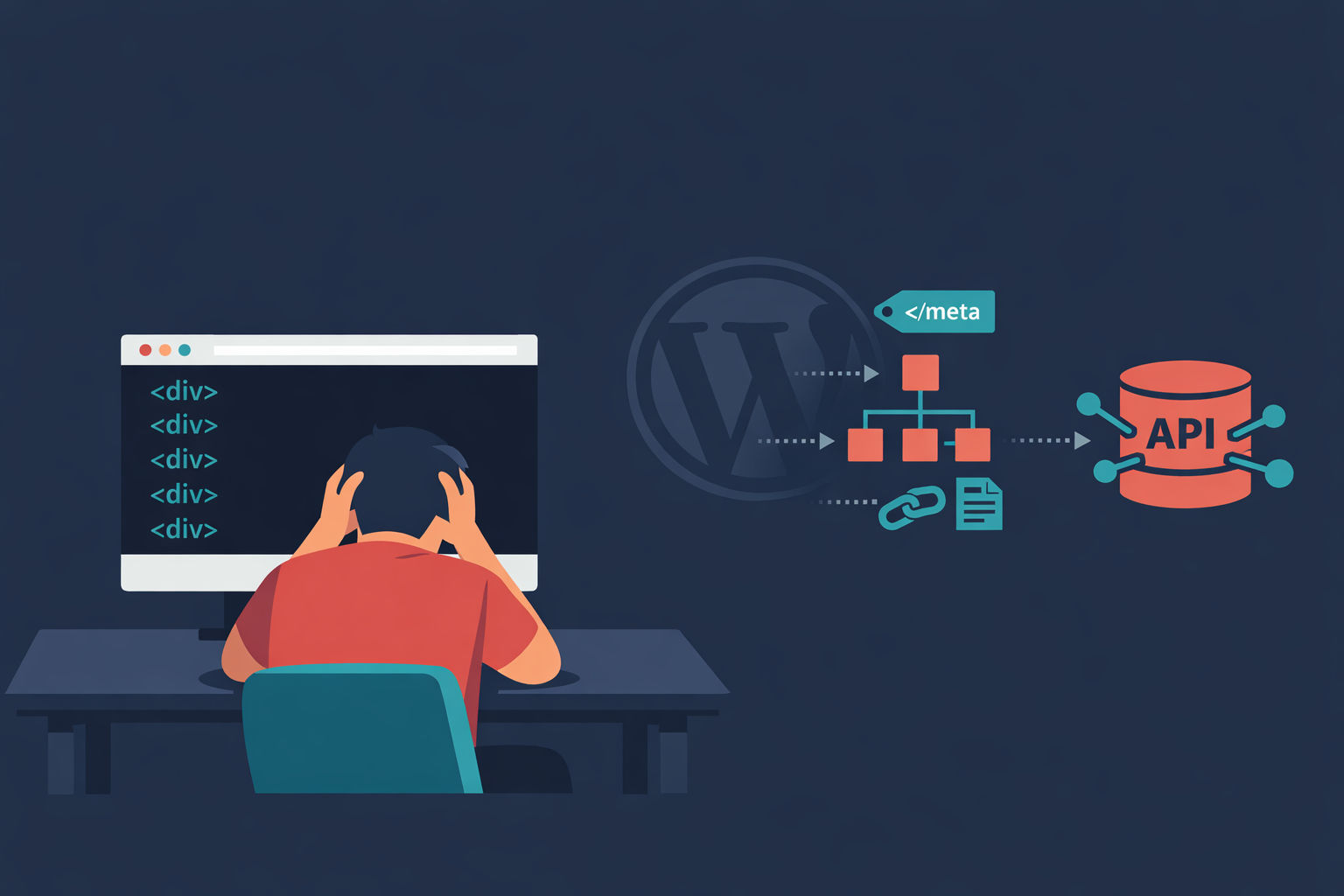
That one plugin handled canonical tags, XML sitemaps, meta descriptions, Open Graph tags, robots directives, and JSON-LD structured data. All automatic. All wired up the moment you hit publish. When you went headless, every single one of those features disappeared. Your headless CMS doesn’t output HTML — it outputs JSON blobs via an API. The SEO? That’s your problem now.
And if you haven’t rebuilt those features in your frontend, Google might not be able to see your content at all. Let’s walk through exactly where your headless CMS SEO setup is leaking — and how to patch it.
The WordPress SEO features you just lost
When you go headless, these disappear from your stack unless you rebuild them:
Canonical tags — no more auto-generated <link rel="canonical">
XML sitemaps — no /sitemap.xml endpoint at all
Meta tags — no title, description, or robots meta unless you code them
Structured data — no JSON-LD for articles, breadcrumbs, or FAQ
Open Graph / Twitter cards — social sharing shows nothing
Robots.txt — no default crawl directives
The 3 Biggest SEO Gaps in Your Headless Setup
I’ve seen the same three mistakes across dozens of headless blog builds from indie hackers. They’re not edge cases — they’re the default outcome when you ship a headless frontend without an SEO checklist.
Gap 1: Missing or Duplicate Canonical Tags
Headless setups multiply URLs fast. You’ve got production, staging, preview deployments, localized paths, and query parameter variants. Without explicit canonical tags, Google sees five versions of every page and has to guess which one matters.
WordPress auto-generated a <link rel="canonical"> on every page. Your headless frontend? It ships nothing unless you add it to your template.
The damage: duplicate content signals, diluted link equity, and pages competing against themselves in search results.
Gap 2: No Dynamic Sitemap
Your headless CMS stores content in a database. Your frontend renders it. But nobody told Google those pages exist.
Without a dynamic /sitemap.xml that queries your CMS API and lists every published URL, you’re relying on Googlebot to discover pages through internal links alone. For a new site with few backlinks, that can take weeks or months.
Worse — if you have a stale public/sitemap.xml from your initial deploy, Google is actively being told your old pages are the only ones that exist.
Gap 3: Client-Side Rendering Hides Your Content
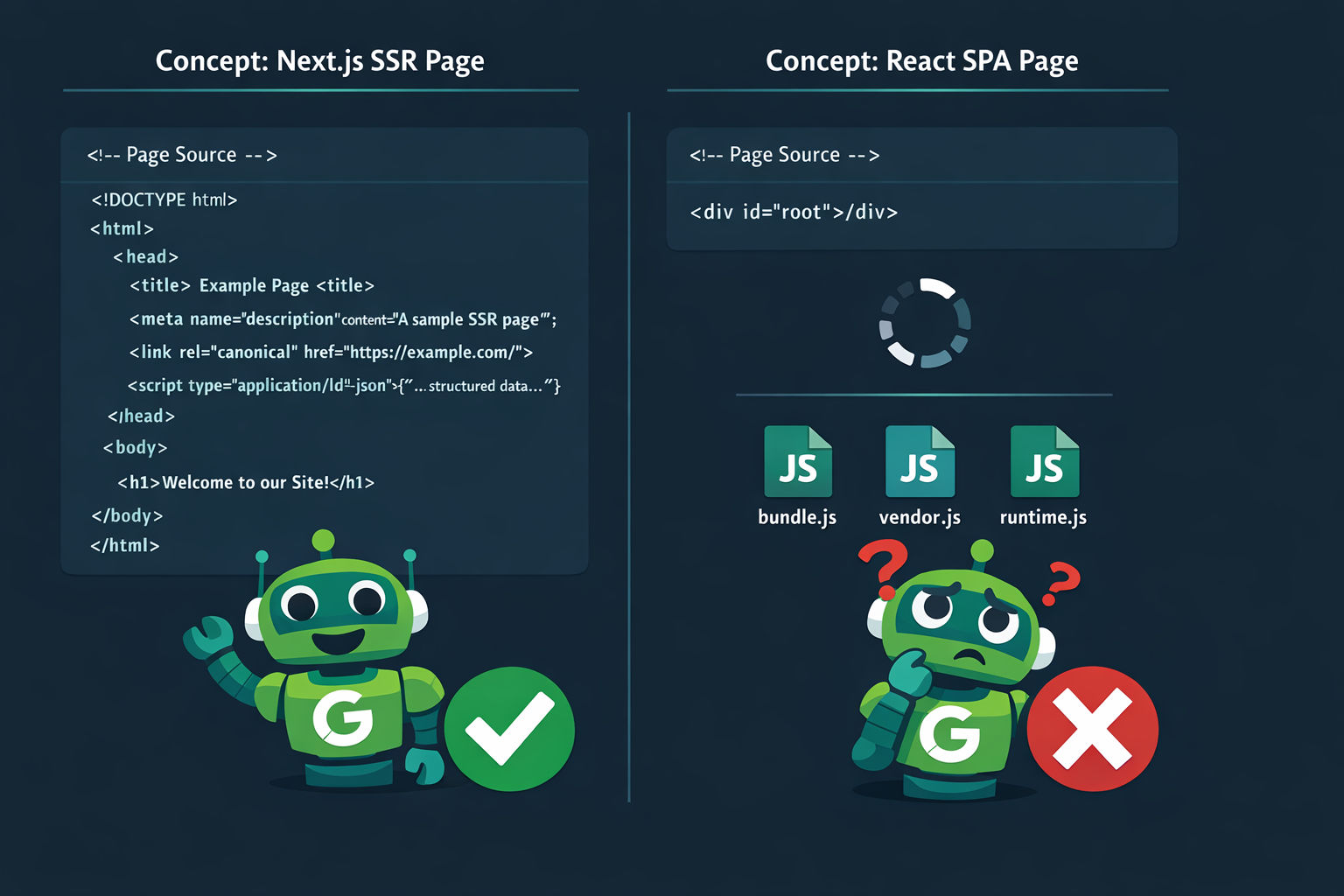
This is the big one. If your frontend is a React SPA that renders content client-side, here’s what Googlebot sees on first crawl: an empty <div id="root"></div> and a bunch of JavaScript files.
Yes, Google has a rendering queue that eventually executes your JS. But “eventually” is doing a lot of work in that sentence.
How Google Handles JS-Rendered Content in 2026
Google’s two-wave indexing process hasn’t changed. First wave: Googlebot fetches your raw HTML and indexes whatever it finds. Second wave: your page enters a rendering queue where a headless Chromium instance executes JavaScript.
The problem is that second wave. It’s a shared resource with finite capacity, and the numbers are brutal.
Sources: Growth Terminal JS Rendering Report 2026, industry benchmarks aggregating Search Console data
Metric
What the data shows
Rendering queue delay
Hours to days for most sites; up to 2–4 weeks for large JS-heavy properties
Crawl budget waste (SPAs)
~80% of SPAs show pages crawled but never rendered (March 2026 data)
Organic visibility gap
CSR sites show −40% to −60% lower organic visibility vs SSR competitors
Crawl delay increase
JS-heavy sites face ~40% longer crawl delays vs HTML/SSR pages
Traffic capture
SSR/static competitors capture ~40% more organic traffic in similar markets
Read those numbers again. If you’re running a client-side rendered headless blog, you could be giving up 40-60% of your organic visibility to competitors who server-render the same content.
As Joel Varty, CTO at Agility CMS, puts it:
SEO success depends on how the front end is built and not the CMS itself.
Your CMS choice isn’t the problem. Sanity, Contentful, and Strapi are all fine for SEO. The problem is what sits between the API and the browser. If that layer doesn’t server-render your HTML with all the right meta tags baked in, you’re invisible.
This matters even more now that AI crawlers (GPTBot, ClaudeBot, PerplexityBot) use sitemaps and rendered HTML to decide which content to cite. If your content isn’t ranking because crawlers can’t parse it, you’re losing two discovery channels at once.
The Minimal Stack to Get Headless SEO Right
You don’t need a fancy SEO platform. You need three things wired into your Next.js (or Nuxt/Astro) frontend:
generateMetadata — server-rendered meta tags per page
sitemap.ts — dynamic sitemap generated from your CMS API
JSON-LD structured data — injected server-side, not client-side
Here’s the concrete code. No vague advice — copy these patterns and adapt them to your CMS.
Pattern 1: Server-Rendered Metadata
Every dynamic route in your blog needs a generateMetadata function that fetches SEO fields from your CMS and returns them as proper HTML meta tags. This runs on the server — Googlebot gets the final HTML with all tags baked in.
Add seoTitle, metaDescription, canonicalUrl, ogImage, and noindex fields to your content model in Strapi/Sanity/Contentful. If these fields don't exist in the CMS, no editor will ever set them, and your frontend will fall back to generic defaults — or worse, nothing.
Pattern 2: Dynamic Sitemap From Your CMS API
Drop a sitemap.ts file in the root of your app directory. Next.js automatically serves it at /sitemap.xml. No third-party packages needed.
text
// app/sitemap.ts
import type { MetadataRoute } from 'next'
import { getAllPublishedPosts } from '@/lib/cms'

export default async function sitemap(): Promise<MetadataRoute.Sitemap> {
  const posts = await getAllPublishedPosts()

  const blogRoutes = posts.map((post) => ({
    url: `https://yourdomain.com/blog/${post.slug}`,
    lastModified: new Date(post.updatedAt),
    changeFrequency: 'weekly' as const,
    priority: 0.8,
  }))

  return [
    {
      url: 'https://yourdomain.com',
      lastModified: new Date(),
      changeFrequency: 'monthly',
      priority: 1.0,
    },
    ...blogRoutes,
  ]
}
Pattern 3: JSON-LD Structured Data
Inject structured data as a server-rendered <script> tag. This tells Google exactly what your page is — an article, its author, publish date, and canonical URL.
That’s the minimal viable stack. Three files. No third-party SEO packages. Your headless blog now has feature parity with what WordPress + Yoast gave you out of the box.
If you’re building your SaaS blog infrastructure right, this should be part of your template from day one — not an afterthought you bolt on when traffic flatlines.
What Googlebot sees: SSR with full metadata vs. a client-rendered SPA with an empty shell
SSR Next.js vs. Raw React SPA: What Google Actually Sees
Let’s make this concrete. Here’s the difference between a properly configured Next.js app and a raw React SPA serving the same blog post.
Next.js with generateMetadata (SSR) — initial HTML response:
Full <title> and <meta description> in the <head>
<link rel="canonical"> pointing to the correct URL
Open Graph and Twitter Card tags for social sharing
<script type="application/ld+json"> with Article schema
Complete article body text in the <body>
Googlebot indexes everything on first crawl. Done.
Raw React SPA (Create React App) — initial HTML response:
<div id="root"></div>
Three JavaScript bundle files
No title, no meta tags, no canonical, no structured data
No visible content whatsoever
Googlebot queues it for rendering… eventually
That “eventually” could be hours, days, or — for large sites — weeks. And if your page returns a non-200 status code during that time, Google may skip JS execution entirely.
SSR (Next.js) vs. CSR (React SPA) for Headless SEO
SEO Feature
Next.js SSR/SSG
React SPA (CSR only)
Meta tags in initial HTML
✅ Yes — server rendered
❌ No — injected by JS
Canonical tags
✅ Baked into <head>
❌ Missing or JS-only
Structured data (JSON-LD)
✅ In HTML response
❌ Requires JS execution
Googlebot indexing
✅ Immediate (first crawl)
⏳ Delayed (render queue)
Crawl budget efficiency
✅ Low cost per page
❌ High cost — needs rendering
Social sharing previews
✅ OG tags present
❌ Blank or broken
Core Web Vitals
✅ Fast LCP, low CLS
⚠️ Slower LCP, hydration CLS
If you’re running a React SPA for your blog right now, this is your sign to add SSR. Next.js, Nuxt, and Astro all do it. The migration isn’t fun, but neither is watching your competitors rank for your keywords because Google can actually read their pages.
How to Audit Your Headless Site for SEO Gaps
You don’t have to guess whether Google can see your content. Two tools will tell you in minutes.
Tool 1: Google Search Console — URL Inspection
This is the authoritative answer to “what does Google see?”
Open GSC → paste any blog URL into URL Inspection
Click Test live URL → then View tested page
Click More info to see the rendered HTML
Hit Ctrl+F and search for your meta description, canonical tag, or any key paragraph
If your content isn’t there, Google can’t index it. Period.
Pay special attention to the Resources tab — if key JS files are blocked by robots.txt or returning errors, your page will render as a blank shell.
Tool 2: Screaming Frog with JS Rendering
In Screaming Frog, go to Configuration → Spider → Rendering and select JavaScript
Set render timeout to 7-10 seconds (the default 5s is too short for most API-driven sites)
Enable Store HTML and Store Rendered HTML in Extraction settings
Crawl your site, then compare raw HTML vs rendered HTML for any page
Look for pages where the rendered HTML is thin or missing meta tags. Those are your SEO leaks.
The killer feature: Screaming Frog lets you run a parity audit — highlighting differences between raw and rendered HTML at scale. On a headless site, this is how you catch templates where a dev forgot to wire up generateMetadata.
Headless SEO Quick Audit Checklist
Step 1
View source on your blog post
Right-click → View Page Source on a published post. Can you see your title, meta description, canonical tag, and article body in the raw HTML? If not, you have a rendering problem.
Step 2
Check your /sitemap.xml
Navigate to yourdomain.com/sitemap.xml. Does it exist? Does it list all your published posts with correct URLs and recent lastModified dates? If it's missing or stale, Google doesn't know your pages exist.
Step 3
Test structured data
Paste a blog URL into Google's Rich Results Test (search.google.com/test/rich-results). Look for Article schema with headline, datePublished, and author. No results? Your JSON-LD is missing.
Step 4
Run URL Inspection in GSC
Use the live test to see Google's rendered version of your page. Search for key content in the HTML output. If it's missing, Google can't index it.
Step 5
Crawl with Screaming Frog (JS mode)
Run a full crawl with JavaScript rendering enabled. Compare raw vs. rendered HTML across all templates. Flag any pages where meta tags or content only appear after JS execution.
The Real Cost of Getting This Wrong
Let’s put it bluntly. The headless CMS market is projected to grow from $3.94B to $22.28B by 2034. Strapi alone grew 69% in active domains in the 12 months ending March 2025, and 57% of its customers are companies with 1-10 employees.
That’s a lot of indie hackers and small teams going headless right now. And based on industry audits, most of them are shipping with broken or missing SEO fundamentals.
The keyword research and content quality might be there. But if your rendering layer is wrong, none of it matters. You wrote a great article that Google literally cannot read.
Going API-first for your blog is the right call architecturally. But treat it like any other infrastructure decision — you wouldn’t deploy without monitoring, so don’t deploy without SEO plumbing either.
TL;DR — The headless SEO minimum viable setup
Use SSR or SSG — never CSR-only for pages you want indexed
Add generateMetadata to every dynamic route, pulling from CMS fields
Create sitemap.ts in your app root that queries your CMS API
Inject JSON-LD server-side for Article, Breadcrumb, and FAQ schemas
Add SEO fields to your CMS content model — seoTitle, metaDescription, canonical, ogImage, noindex
Audit with GSC URL Inspection and Screaming Frog in JS mode
Do these six things and your headless blog has the same SEO foundation as WordPress + Yoast. Skip them and you're publishing content into a void.
Too busy building to fix your blog's SEO plumbing?
Vibeblogger handles the entire blog stack — SEO metadata, structured data, sitemaps, and publishing — so you can focus on your product. Every post is research-backed, SEO-optimized, and published automatically.