You vibe coded a SaaS app in a weekend. Cursor and Claude did the heavy lifting. You deployed to Vercel on Sunday night. Monday morning you’re checking Google for your product name.
Nothing. Not even your homepage.
This is the vibe coding SEO gap, and it bites almost everyone. The same AI tools that help you ship in days also skip the SEO scaffolding that tells Google you exist. No sitemap. No meta descriptions. Default robots.txt. Maybe your Vercel preview deployment is the thing that got indexed instead of your actual domain.
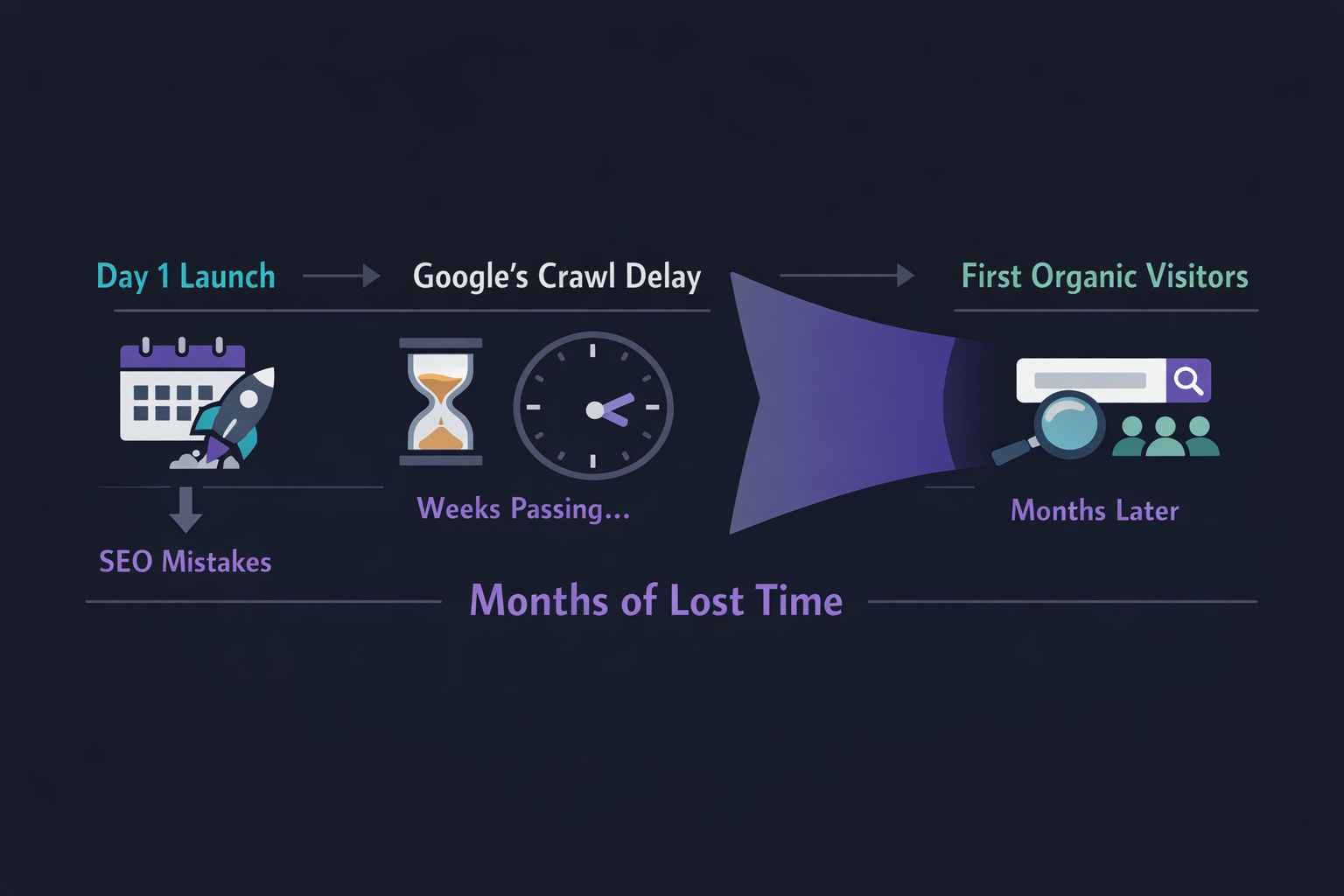
The painful part? The fix takes about 30 minutes. But if you skip it, you’re looking at 3-6 months of invisibility while Google slowly figures out your site even exists.
The Math on Crawl Delay
New domains average 18 days for their first pages to be indexed, with a range of 4 days to 6 weeks (CrawlWP, 2024). Full site indexing takes 2-6 months for most new sites. And here's the kicker — 16% of indexable pages on popular websites never get indexed at all (Search Engine Journal / Onely study). Every day you launch without proper SEO setup is a day added to that clock.
Why Vibe Coding Creates an SEO Black Hole
Let’s be specific about what goes wrong. When you scaffold a project with Cursor, Lovable, Bolt, or any AI builder, the generated code is optimized for one thing: working. Not being found.
An SE Ranking audit of 418,125 websites found that 65% were missing meta descriptions, nearly 15% had no XML sitemap at all, and 50% had pages accidentally blocked by noindex tags. And those are established sites with presumably some SEO awareness.
Vibe coded apps are worse. The typical AI-generated Next.js project ships with:
- A generic “Create Next App” title tag on every page
- No sitemap.ts file (so Google has to discover pages by crawling links — which you don’t have yet)
- No canonical tags (so
/app, /app/, and /app?ref=twitter are three different pages to Google)
- No structured data (Google has zero context about what your product actually is)
- Default Vercel preview URLs that can get indexed alongside your real domain
The 25% of YC W25 startups with 95%+ AI-generated codebases almost certainly shipped some of these issues. Because AI coding tools are great at making things work. They’re terrible at making things findable.
The crawl delay gap: what 30 minutes of pre-ship SEO setup saves you
The 5-Thing Pre-Ship SEO Checklist
Here’s the deal. You don’t need to become an SEO expert. You need to spend 30 minutes on five things before you push to production. That’s it.
If you’re on Next.js App Router (and most vibe coded apps are), every one of these has a built-in solution. No packages to install.
Pre-Ship SEO Setup (30 min total)
Step 1
robots.txt + sitemap.xml (5 min)
Create app/robots.ts and app/sitemap.ts. Your robots.txt should allow crawling of public pages, block /api/ and /app/ (dashboard routes), and point to your sitemap URL. Your sitemap should list every public page — homepage, pricing, features, blog posts. Next.js serves these automatically at /robots.txt and /sitemap.xml. Without a sitemap, new sites with no backlinks give Google nothing to discover.
Step 2
Per-page meta titles + descriptions + OG tags (10 min)
Export a metadata object or generateMetadata function from every page.tsx and layout.tsx. Set metadataBase in your root layout to your production URL (without this, all OG image URLs break). Every page needs a unique title (50-60 chars with your keyword) and description (150-160 chars). Don't leave 'Create Next App' as your title — 67% of audited sites had title tag issues.
Step 3
Canonical tags on every route (5 min)
Add alternates.canonical to your metadata on every dynamic route. This prevents Google from treating /pricing, /pricing/, and /pricing?ref=twitter as three different pages competing with each other. Especially critical if your marketing site and app live on the same domain — /app routes need to be clearly separated.
Step 4
Structured data / JSON-LD for key pages (5 min)
Add a JSON-LD script tag to your homepage and product pages. Use SoftwareApplication schema with your app name, description, and category. Google uses this to understand what your product is and can show rich results. Sites with structured data see up to 82% higher click-through rates (Google/Nestlé case study).
Step 5
Google Search Console verified + sitemap submitted (5 min)
Verify your domain in Google Search Console before your first real user arrives. Submit your sitemap URL. This does two things: tells Google your site exists (instead of waiting for it to be discovered) and gives you data on indexing issues from day 1. You can also manually request indexing for your 5-10 most important pages.
Quick Code: Next.js Metadata Setup
Here’s what the root layout metadata looks like. This alone fixes half the issues most vibe coded apps ship with:
// app/layout.tsx
import type { Metadata } from "next";

export const metadata: Metadata = {
  metadataBase: new URL("https://yourdomain.com"),
  title: {
    default: "YourApp — One-line description with keyword",
    template: "%s | YourApp",
  },
  description: "150-char description of what your app does and who it's for",
  openGraph: {
    type: "website",
    siteName: "YourApp",
  },
};
And here’s a dynamic page with canonical tags and per-page metadata:
// app/blog/[slug]/page.tsx
export async function generateMetadata(
  { params }: { params: Promise<{ slug: string }> }
): Promise<Metadata> {
  const { slug } = await params;
  const post = await getPost(slug);
  return {
    title: post.title,
    description: post.excerpt,
    alternates: { canonical: `/blog/${slug}` },
    openGraph: {
      title: post.title,
      description: post.excerpt,
      images: [post.ogImage],
    },
  };
}
Quick Code: Sitemap + Robots
Two files. Five minutes. Massive impact:
// app/sitemap.ts
import type { MetadataRoute } from "next";

const baseUrl = "https://yourdomain.com";

export default function sitemap(): MetadataRoute.Sitemap {
  return [
    { url: baseUrl, lastModified: new Date(), priority: 1.0 },
    { url: `${baseUrl}/pricing`, lastModified: new Date(), priority: 0.8 },
    { url: `${baseUrl}/features`, lastModified: new Date(), priority: 0.8 },
    // Add all your public pages here
  ];
}
// app/robots.ts
import type { MetadataRoute } from "next";

export default function robots(): MetadataRoute.Robots {
  return {
    rules: [
      {
        userAgent: "*",
        allow: "/",
        disallow: ["/api/", "/app/", "/admin/"],
      },
    ],
    sitemap: "https://yourdomain.com/sitemap.xml",
  };
}
The One Thing Vibe Coders Always Skip: Internal Linking
You set up your meta tags. You submitted your sitemap. You feel good.
But here’s what the data shows: 69% of websites have pages with zero inbound internal links (SE Ranking, 2024). For vibe coded apps, this number is probably closer to 95%.
Internal links are how Google discovers and prioritizes your pages. If your landing page doesn’t link to your blog, and your blog doesn’t link back to your product pages, Google sees isolated islands instead of a connected site.
The fix is simple: if you have a blog (and you should), link from blog posts to your key product pages. Link from your homepage to your best content. Create a web, not a list.
This is where most headless CMS setups also drop the ball — the SEO plumbing that WordPress gave you for free (related posts, category pages, breadcrumbs) doesn’t exist by default when you go API-first.
Internal Linking Rule of Thumb
Every public page on your site should have at least 3 internal links pointing to it and should link out to at least 2 other pages. This gives Google a clear crawl path and distributes page authority across your site. Add this to your launch checklist.
Framework Gotchas That Silently Kill Your SEO
Vibe coding typically means Next.js on Vercel. Here are the specific traps:
Vercel Preview Deployments Getting Indexed
Vercel adds X-Robots-Tag: noindex to preview deployments on *.vercel.app by default. But if you attach a custom domain to a non-production branch (like staging.yourdomain.com), that noindex header is not applied automatically. Google can and will index it.
Worse, Google has been documented selecting Vercel deployment URLs as canonical even when the noindex header was present. Your carefully crafted production site gets overshadowed by a random yourapp-git-feature-branch.vercel.app URL.
The fix: add environment-aware headers in your next.config.js:
// next.config.js — block indexing on non-production environments
module.exports = {
  async headers() {
    const headers = [];
    if (process.env.NEXT_PUBLIC_VERCEL_ENV === "preview") {
      headers.push({
        source: "/:path*",
        headers: [
          { key: "X-Robots-Tag", value: "noindex" },
        ],
      });
    }
    return headers;
  },
};
Missing metadataBase
This one is subtle. If you don’t set metadataBase in your root app/layout.tsx, Next.js can’t resolve relative URLs in your OG images and canonical tags. Social shares show broken images. Canonical tags point to relative paths instead of absolute URLs.
It’s literally one line of code. Add it.
Client-Side Rendering Hiding Content from Crawlers
If you’re using "use client" on pages that should rank, you’re telling Next.js to render that content in the browser — not on the server. Googlebot can render JavaScript, but it’s slower and less reliable. Your marketing pages, blog posts, and product pages should be server components.
Quick check: view the source of your page (not the inspector — actual source). If your main content isn’t in the HTML, Google might not see it either.
Common vibe coding SEO issues and their fixes
| Issue | What Goes Wrong | Fix | Time |
|---|
| No sitemap.ts | Google has no map of your pages, relies on link discovery | Create app/sitemap.ts with all public URLs | 5 min |
| Default title tags | 'Create Next App' on every page — Google can't differentiate | Export metadata per page with unique titles | 10 min |
| Missing canonical | /page, /page/, /page?ref=x treated as duplicates | Add alternates.canonical to every route | 5 min |
| No JSON-LD | Google has zero context about your product | Add SoftwareApplication schema to homepage | 5 min |
| Preview env indexed | Vercel branch deploys compete with production | Add X-Robots-Tag: noindex for preview env | 2 min |
| No metadataBase | OG images and canonicals use broken relative URLs | Set metadataBase in root layout.tsx | 1 min |
When to Stop Worrying About Technical SEO
Here’s the opinionated take: once you’ve done the five things on this checklist, stop tweaking technical SEO and start creating content.
Technical SEO is a prerequisite, not a strategy. It gets you indexed. Content gets you ranked.
The mistake I see vibe coders make is spending weeks perfecting their Lighthouse score while having zero pages that target actual search queries. Google doesn’t rank fast, empty sites. It ranks sites with useful content that’s technically accessible.
Once your technical foundation is set, your next move is building a content strategy that targets the keywords your users actually search for. If you’re a solo founder, automating your blog is the way to keep shipping content without it becoming a second job.
The 30 minutes you spend on this checklist today saves you months of wondering why Google doesn’t know you exist. The content you publish next week is what actually brings in traffic.
Your Pre-Flight Checklist (Copy This)
Before every production deploy, verify:
Ship Products, Not Blog Posts
You just learned the SEO setup. Now automate the content. Vibeblogger researches, writes, and publishes SEO blog posts for your app — so you can focus on building.
See How It Works