The Vibe Coder's AI Toolkit: What You Actually Need to Ship a SaaS in 2026
Most vibe coders grab whatever AI tool is trending on Twitter. Here's the actual three-layer stack — with real benchmarks, cost breakdowns, and underrated picks — that gets you from idea to first $1K MRR without context-switching hell.
Rori Hinds··9 min read
You don’t have a tools problem. You have 14 browser tabs open, three AI subscriptions bleeding your card, and you still haven’t shipped the feature you started Monday.
The AI tools for developers landscape in 2026 is absurdly crowded. Searches for “vibe coding” spiked 6,700% since Andrej Karpathy coined the term. Collins Dictionary made it Word of the Year. And 92% of US developers now use AI-generated code — up from 10% in 2023.
But more tools doesn’t mean more shipping. Most vibe coders grab whatever’s trending on X, bolt it onto their workflow, and wonder why they spend more time context-switching than building. The founders who actually ship fast? They run a tight, three-layer stack and evolve it deliberately.
Here’s what that stack looks like — with real benchmarks, actual costs, and a few picks you won’t find in every listicle.
The Core Trio: Why Three Layers Is All You Need
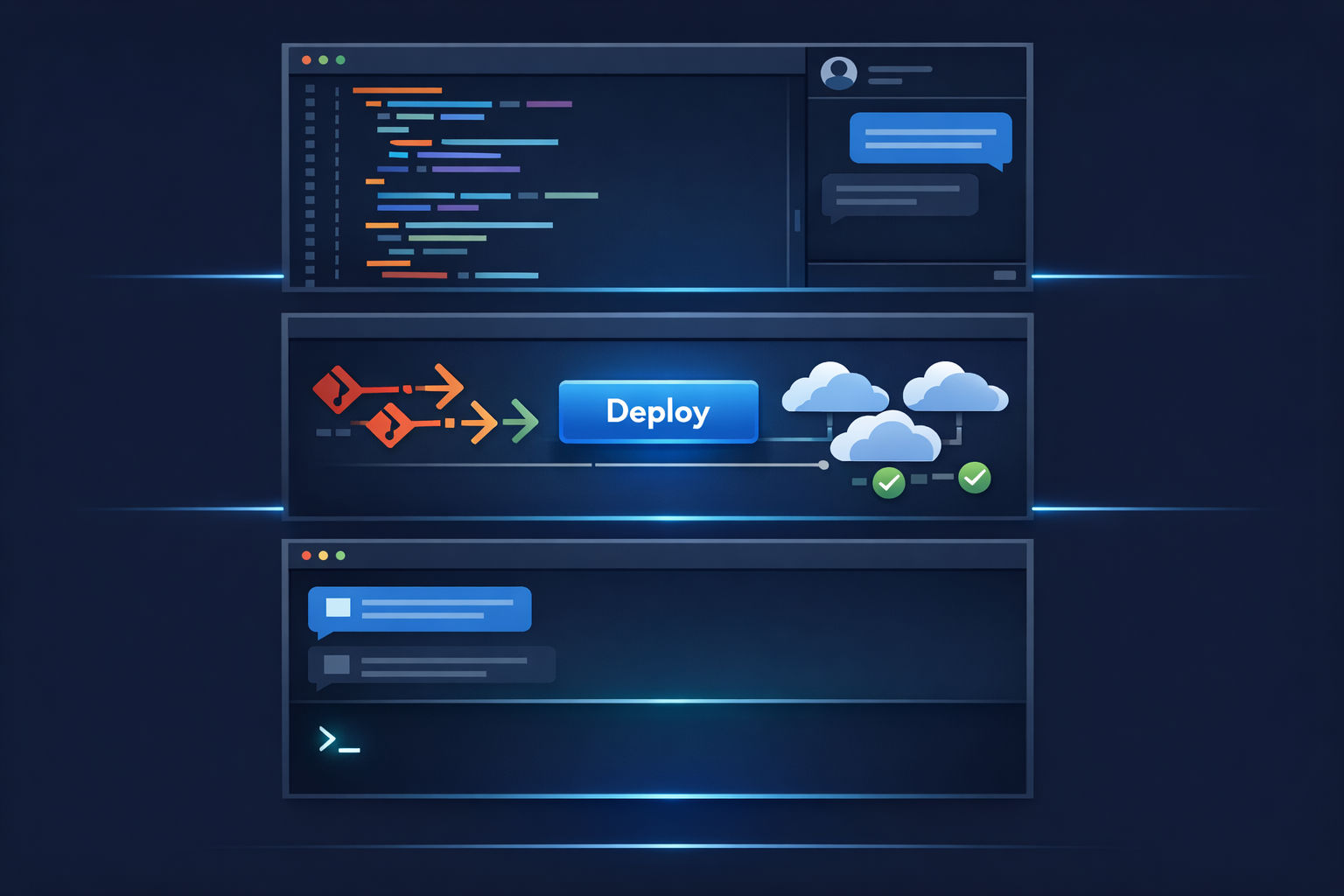
Every vibe coder’s workflow boils down to three things: write the code, deploy the code, and tell the AI what to do. That’s your AI IDE, your deployment platform, and your prompting layer.
The mistake most people make is optimizing each tool in isolation. They pick the best-rated IDE, the cheapest host, and whatever chat model is newest — then wonder why the whole thing feels like duct tape.
The real leverage is in how these three layers talk to each other. Fewer seams, fewer decisions, more time in flow state.
The three-layer stack: AI IDE → Deployment → Prompting layer. Fewer tools, fewer seams.
Layer 1: Your AI IDE (Where the Code Happens)
This is your home base. You’ll spend 80% of your dev time here, so this decision matters more than any other.
In 2026, the real race is between Cursor and Windsurf. GitHub Copilot is fine if you’re already deep in the GitHub ecosystem, but the benchmarks tell a clear story for solo founders who need speed.
AI IDE Benchmarks: Cursor vs. Windsurf vs. Copilot
Metric
Cursor
Windsurf
GitHub Copilot
Autocomplete latency
<200ms
<150ms
~300ms
Prompts to complete task*
2 rounds
3 rounds
5 rounds
Code acceptance rate
72%
55–75%
60–75%
Daily time saved
47 min
38 min
29 min
Productivity multiplier**
1.42x
1.38x
1.0x (baseline)
Context window
200K–1M tokens
200K–1M tokens
64K tokens
Price
$20/mo
$15/mo
$19/mo
*Building a TailwindCSS responsive data table (iBuildR benchmark, March 2026). *9-person startup 30-day pilot (CodeAnt.ai, 2026).
The bottom line: Cursor wins on accuracy and multi-file tasks. Its Composer mode — which edits multiple files in a single operation — is the killer feature for solo founders building full-stack apps. Windsurf is 80% of the capability at 75% of the price, which is a legitimate pick if you’re pre-revenue.
The context window gap matters more than people realize. Copilot’s 64K token limit means it loses track of your codebase fast. But here’s the counterintuitive finding: bigger windows don’t automatically mean better code. Research from Augment Code shows models often get worse with massive context because they hallucinate connections between unrelated files. The trick is curating what goes into the context, not just maxing it out.
The Speed vs. Accuracy Tradeoff
If you're prototyping and validating an idea, optimize for speed — Windsurf's faster autocomplete and lower cost gets you to "does anyone want this?" quicker. Once you're building production features for paying users, switch to optimizing for accuracy — Cursor's higher acceptance rate and fewer prompting rounds save you from shipping bugs.
Layer 2: Your Deployment Platform (Where It Goes Live)
You built the thing. Now it needs to live somewhere. For solo founders, the real debate is Vercel vs. Railway — and the answer depends on what you’re building.
Vercel is the default for Next.js apps. Edge functions in 30+ regions, near-zero cold starts, and the tightest integration with the React ecosystem. If your SaaS is frontend-heavy with serverless functions, it’s the obvious pick.
Railway is what you want when your app has a real backend — persistent databases, background jobs, cron tasks, WebSockets. Git-push deploys, built-in Postgres and Redis, and pricing that doesn’t surprise you. Many indie hackers run both: Vercel for the frontend, Railway for the backend.
The cost difference matters when you’re bootstrapping. Vercel’s Pro tier is $20/user/month plus usage — and bandwidth overages can spike. Railway runs $5–20/month on resource-based pricing that stays predictable. For a solo founder pre-revenue, that gap is meaningful.
Layer 3: Your Prompting Layer (The Brain)
This is the least talked-about layer, and arguably the most important. Your AI IDE handles the code, but something needs to handle the thinking — architecture decisions, planning features, debugging complex issues.
Most founders use ChatGPT or Claude in a separate browser tab. That works, but it’s another context switch. The founders shipping fastest are bringing the prompting layer into the workflow.
Claude Code runs in your terminal as an autonomous agent. It reads your codebase, runs commands, and makes changes across your entire project. No GUI, no tab-switching — just describe what you want and it executes. It’s rated 9.0/10 by practitioners and pairs especially well with Cursor for a two-layer coding approach: Claude Code for architecture and planning, Cursor for implementation.
If you’ve already read our take on the vibe coding mindset, you know the key skill isn’t writing code anymore — it’s orchestrating the AI tools that write code with you.
The core competency for 2025+ developers is no longer just writing code, but effectively orchestrating the AI tools that write code with them.
3 Underrated Picks That Aren’t on Everyone’s Radar
Now for the part that makes this post worth bookmarking. These tools don’t dominate the X timeline, but they solve real problems better than the popular alternatives.
1. Aider + BYOK (The $2/Month Hack)
Aider is a free, open-source terminal-based pair programmer that’s Git-aware and edits files directly. The magic: pair it with a cheap API backend using BYOK (Bring Your Own Key).
Aider + DeepSeek API costs $2–5/month for moderate solo dev usage. Cursor costs $20/month for essentially the same output on most tasks. That’s the ROI gap nobody talks about.
DeepSeek V3 charges $0.14 per million input tokens and $0.28 per million output tokens. With off-peak discounts and context caching, heavy daily usage still lands under $5. This setup won’t match Cursor’s polish or Composer mode, but for refactoring, debugging, and straightforward feature work — it’s 90% of the output at 10% of the cost.
2. Zed (For Speed-Obsessed Devs)
If your IDE feels sluggish, Zed is worth a look. It’s a Rust-built editor with native AI features and real-time collaboration baked in. No Electron overhead, no extension bloat — just raw performance.
Zed has Claude integration built in and supports BYOK for model flexibility. It’s not as feature-rich as Cursor yet, but for solo devs who hate waiting for their editor to catch up with their thinking, it’s a breath of fresh air.
3. Supabase (The Glue Layer Nobody Thinks of as a Tool)
Supabase isn’t new, but most people underestimate how much it eliminates from your stack. Auth, database, storage, realtime subscriptions, and edge functions — all in one platform with a generous free tier.
The “$0 stack” trending on X right now is literally: Claude + Supabase + Vercel. That’s auth, database, backend, frontend, deployment, and AI assistance for $20/month total (just the Claude sub). It’s more capable than a $100/month stack from two years ago.
The $0 Stack Is Real
You can go from idea to deployed MVP spending $0 on infrastructure. Supabase free tier + Vercel free tier + Claude free tier covers auth, database, hosting, and AI assistance. Don't pay for tools until you have paying users. Seriously.
How the Stack Evolves: $0 to First $1K MRR
Your toolkit at month 0 shouldn’t look like your toolkit at month 12. Here’s how smart founders evolve their stack based on actual community data — not what tool companies want you to buy.
The Stack Evolution Playbook
Step 1
Exploration Stage ($0/month)
You're validating whether anyone wants this thing. Use free tiers for everything: Claude free for prompting, Cursor free tier or Aider + DeepSeek for coding, Supabase free for backend, Vercel free for hosting. Don't pay for a single tool. Your job is to talk to users and build the smallest thing that proves demand.
Step 2
Prototype Stage — Pre-Revenue ($20–40/month)
You have signal. People want it. Now pick ONE paid AI IDE — Cursor at $20/month is the consensus choice. Keep everything else on free tiers. The biggest trap here is impulse-subscribing to tools before you know what you need. One IDE subscription is enough.
Step 3
Post-Launch — First Paying Users ($85–115/month)
You have customers. Vercel and Supabase force-upgrade you around this stage (+$45 cost jump). Add error tracking (Sentry free), analytics (Plausible at $9/month), and a support tool (Crisp free). This is where Railway becomes attractive if Vercel's usage pricing spikes.
Step 4
Growth Stage — $1K+ MRR ($150–250/month)
Now you can afford to optimize. Add Claude Pro or Claude Code for the prompting layer. Consider Cursor Business if you need team features later. Invest in content and SEO to build organic acquisition. Your stack cost should stay under 10% of MRR.
The key insight from the real cost data on vibe coding: the cost to launch a SaaS dropped from $50K–$150K plus 6 months of work in 2022 to roughly $500–$2K plus one week in 2026. Solo-founded startups now represent 36.3% of all new startups globally, up from 23.7% in 2019. The tools made this possible.
But the founders hitting $10K–$50K MRR solo aren’t using the fanciest stack. Pieter Levels runs $250K/month in revenue with PHP, SQLite, and a single DigitalOcean VPS. Stack complexity is optional. Shipping is not.
The Real Bottleneck Isn’t Your Tools
Here’s the thing nobody tells you: AI hasn’t eliminated the hard work — it moved where the hard work happens.
Coding used to be the bottleneck. Now it’s the fast part. The slow part is figuring out what to build, understanding what customers actually want, and getting distribution. You can ship an MVP in a weekend, but building your SaaS landing page, blog, and docs still takes real effort.
Your AI developer workflow should free up your time for the stuff AI can’t do well yet: talking to users, positioning your product, and building an audience. Pick three layers, keep them tight, and spend every saved minute on the work that actually grows your business.
36.3% of new startups are solo-founded now. The toolkit to join them costs less than your coffee budget. The question isn’t what tools to use — it’s what you’ll build with them.
Your Code Ships Fast. Your Content Should Too.
You've got the dev stack dialed in. But what about the blog that drives organic traffic to your SaaS? Vibeblogger handles keyword research, writing, images, and publishing — so you can focus on building product, not writing posts.