Cursor vs Windsurf vs GitHub Copilot: Which AI Coding Assistant Actually Helps You Ship Faster?
An honest, opinionated comparison of the three best AI coding assistants for solo founders — with real data, community sentiment, and a clear recommendation based on your startup stage.
Rori Hinds··9 min read
You’re a solo founder. You’ve got a SaaS to build, no co-founder, and maybe 4-6 hours of actual coding time per day between customer support, marketing, and trying to remember to eat.
Picking the best AI coding assistant isn’t a fun Saturday research project — it’s a decision that directly affects how fast you ship. And every comparison post you find ends with some variation of “it depends on your needs.” Thanks. Super helpful.
So here’s the opinionated version. I’m going to tell you which of the big three — Cursor, Windsurf, and GitHub Copilot — is worth your money based on where your startup actually is right now. Not based on a feature matrix. Based on what it feels like to use each one when you’re building something real, alone, with no safety net.
The Market Right Now (And Why This Choice Matters)\n\n92% of developers now use AI coding tools daily, according to GitHub’s latest survey. Cursor hit $2B+ in annual recurring revenue and a $29.3B valuation. 25% of YC’s Winter 2025 batch shipped codebases that were 95%+ AI-generated.\n\nThis isn’t optional tooling anymore. The AI pair programmer you pick shapes your velocity as much as your tech stack does. If you’ve been following the vibe coding movement, you know the stakes — the right tool means an MVP in a weekend. The wrong one means three weeks debugging AI slop at 2 AM.\n\nIf you’re also evaluating other editors beyond these three — including Replit and Lovable for no-code-friendly vibe coding — our <a href="/blog/replit-vs-cursor-vs-lovable-best-ai-dev-tool">Replit vs Cursor vs Lovable comparison breaks down which tool fits your stage and skill level.
What Each Tool Actually Feels Like (Not the Marketing Page)
Cursor: The AI-First IDE
Cursor feels like pair programming with a senior developer who’s read your entire codebase. It’s a VS Code fork built from the ground up around AI, not an extension bolted on.
The standout feature is Composer — Cursor’s agent mode for multi-file edits. You describe what you want (“add Stripe checkout to the pricing page and update the API routes”), and it modifies files across your project in one pass. It has a 200K+ token context window, which means it can hold your entire SaaS codebase in memory.
A University of Chicago study found companies using Cursor saw 39% more merged pull requests after its agent became the default. Cursor’s own data shows a 72% code acceptance rate — meaning nearly three-quarters of what it suggests gets used as-is.
The feel: you’re driving, but you have a co-pilot who actually understands the project. One Indie Hackers user described it as “a genius junior dev who has memorised every language and theory, but has never actually built anything before.” That’s honest. It’s brilliant at generating. You still need to steer.
GitHub Copilot: The Reliable Default
Copilot feels like very smart autocomplete that occasionally reads your mind. It lives inside VS Code (or JetBrains, or GitHub itself) as an extension. You don’t switch editors. You don’t change your workflow. You just… type, and it finishes your thoughts.
For inline code completion, it’s arguably still the fastest. A Hacker News user put it well: “My subscription is only $10 a month, and it has unlimited inline suggestions. I just wonder if I’m missing anything.”
The answer is: you are missing things. Copilot’s agent mode launched in early 2026 but it’s still maturing. Its context window maxes at 128K tokens for most models — and developers report hitting limits after 4-5 interactions on large projects. It forgets what it just worked on.
The feel: a fast, reliable line cook. Great at the thing right in front of it. Bad at stepping back and thinking about the whole kitchen.
Windsurf: The Budget Dark Horse
Windsurf (formerly Codeium’s editor) feels like a scrappy startup tool — fast, ambitious, occasionally unreliable. Its Cascade agent is genuinely impressive, with a reported 75% autonomous success rate on real development tasks.
At $15/month, it undercuts Cursor by $5 and delivers maybe 75% of the capability. For solo developers on a budget, that math might work.
But the complaints are real. Developers report code deletion bugs, fix loops where the AI breaks and re-fixes the same thing, and a 40-year veteran programmer called it a “net drag on productivity” after two months. The company also had instability in 2025, reaching $100M ARR before a strategic stumble that left enterprise users uncertain.
The feel: a talented intern who sometimes delivers magic and sometimes deletes your auth module.
Cursor vs Copilot vs Windsurf: The Numbers That Matter
Feature
Cursor
GitHub Copilot
Windsurf
Monthly Price (Pro)
$20/mo
$10/mo
$15/mo
Context Window
200K+ tokens
128K tokens
200K tokens
Agent Mode
Composer (mature, self-correcting)
Agent Beta (limited)
Cascade (fast-improving)
Multi-File Editing
Best-in-class
Basic (Edits mode)
Good, not self-correcting
Code Acceptance Rate
72%
Not published
Not published
IDE
VS Code fork (dedicated)
VS Code, JetBrains, GitHub
VS Code fork (dedicated)
Best Model Access
Claude 3.7, GPT-4o, Gemini
GPT-4o, Claude, Gemini
Claude 3.5, GPT-4o
Hidden Cost Risk
Agent mode can 3-5x bill
Minimal (flat rate)
Credit caps on free/Pro
Where Each One Breaks Down
No tool is perfect. Here’s what the marketing pages won’t tell you.
Cursor’s Problem: Cost at Scale
Cursor Pro is $20/month for 500 fast requests. That sounds like a lot until you’re deep in agent mode, iterating on a feature. One iBuidl Research report found that agent mode token burn can 3-5x your monthly bill if you’re not careful.
One Hacker News user reported spending $2,000/week on premium models through Cursor. That’s extreme, but it highlights a real pattern: Cursor’s pricing is seductive at $20, but the real cost scales with your ambition. Another developer spent $312 in a single month across AI coding tools, noting it was “more than my car payment.”
The METR research study is also worth knowing: experienced developers using Cursor actually took 19% longer on bug fixes than without AI. The catch? A developer with 50+ hours of Cursor experience saw a 38% speedup. Translation: Cursor has a learning curve. Expect to invest ~50 hours before it pays off.
Copilot’s Problem: Context Ceiling
Copilot’s advertised context windows don’t match reality. The API shows 400K tokens for some models, but actual max input (max_prompt) is often 128K — and developers hit “prompt token count exceeds limit” errors constantly.
For a solo founder building a medium-sized Next.js app, this means Copilot starts forgetting your project structure mid-conversation. You restart chats. You re-explain context. You waste the time the AI was supposed to save.
Windsurf’s Problem: Reliability
Windsurf’s issues are less about capability and more about trust. G2 reviews mention code deletion, placeholder comments instead of real code (“// …rest of code goes here”), and getting stuck in fix loops. When it works, Cascade is fast. When it doesn’t, you’re worse off than if you’d just written the code yourself.
The company’s strategic instability in 2025 also makes long-term bets risky. If you’re building your whole stack around a tool, you want to know it’ll be around in 18 months.
The Hidden Cost Nobody Talks About
Agent mode across all three tools burns tokens faster than chat or autocomplete. Cursor's Composer can 3-5x your bill. Copilot's advanced model requests eat through quotas. Windsurf's credit system caps you mid-session. Budget $30-50/month for realistic heavy usage, not the advertised $10-20.
The Vibe Coding Verdict: Which One for Rapid Prototyping?
Andrej Karpathy coined “vibe coding” as the practice of describing what you want in natural language and letting the AI handle the code — “fully giving in to the vibes” and forgetting the code exists.
If that’s your mode — and for pre-launch SaaS founders, it probably should be — the question isn’t which tool has the best enterprise compliance features. It’s which one gets you from idea to deployed MVP fastest.
Cursor wins for vibe coding. Here’s why:
Composer mode lets you describe entire features and it edits across multiple files. That’s the vibe coding workflow — intent in, working code out.
200K+ token context means it holds your full project in memory. You don’t lose the thread.
The autocomplete is, as one HN commenter put it, “the best autocomplete experience, period.” It predicts your next edit location, uses clipboard contents, and fills boilerplate before you finish thinking.
It’s a VS Code fork, so your extensions, keybindings, and muscle memory transfer over.
Windsurf’s Cascade agent is a close second for pure prototyping speed — and at $15/month, it’s the budget pick. But when Cascade fails mid-feature, the recovery cost eats the time you saved.
Copilot is the weakest for vibe coding specifically. It’s great at line-by-line completion but it’s still fundamentally a suggestion tool, not a builder. As one developer noted on the vibe coding mindset: you want an AI that thinks in features, not in lines.
Your startup stage should drive your tool choice — not the feature comparison tables.
The Recommendation: Based on Your Stage
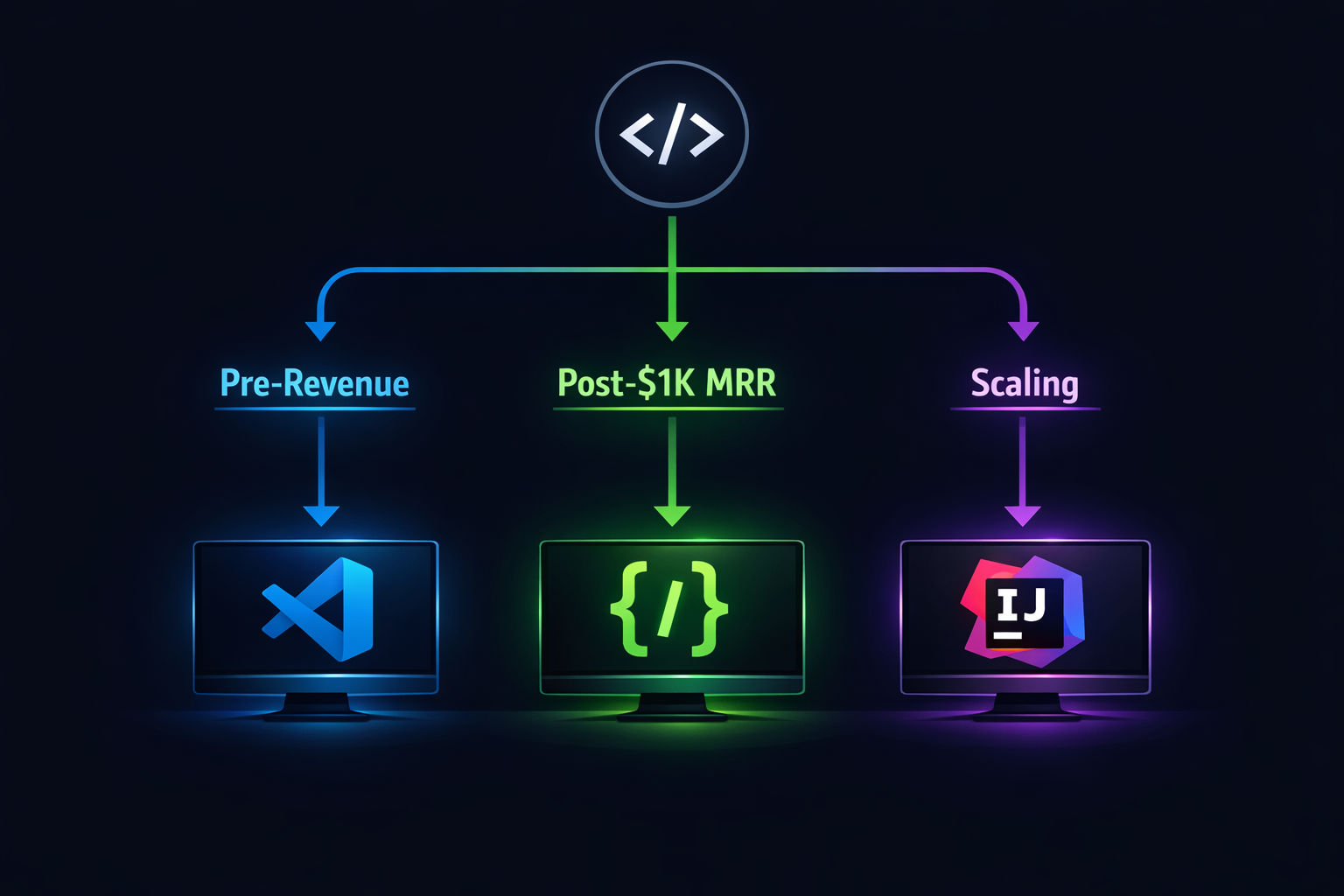
Here’s where I stop hedging. These are my actual picks for each stage of a solo founder’s journey.
Pre-Revenue: Start With GitHub Copilot ($10/month)
When you’re pre-revenue, every dollar matters. Copilot at $10/month with unlimited inline suggestions is the best ROI in AI coding. It won’t build features for you, but it’ll make you 30-40% faster at writing the code yourself.
Stay in VS Code. Use the free tier first (50 requests/month). Upgrade when you feel the ceiling. Don’t overthink it.
Post-$1K MRR: Switch to Cursor ($20/month)
Once you have revenue — even $1K MRR — the math changes. You’re not saving $10/month anymore. You’re buying time. And time is the only thing a solo founder can’t manufacture.
Cursor’s Composer mode will save you hours per week on multi-file changes. The 200K context window means you stop re-explaining your project. The productivity gain covers the cost in the first week, according to ToolCenter’s analysis.
Watch your agent mode usage. Set a monthly budget of $40-50 and monitor it. The 500 fast requests in Pro is enough for most solo builds.
Scaling (Post-$5K MRR): Cursor Pro + Budget for Overages
At this stage, you’re probably adding features fast, handling customer requests, and refactoring code that was vibe-coded in the early days. Cursor’s multi-file editing and self-correcting agent are built for exactly this.
Budget $50-80/month. The University of Chicago data showing 39% more merged PRs isn’t academic trivia at this point — it’s the difference between shipping weekly and shipping monthly.
Consider running Copilot alongside Cursor for its GitHub integration (PR reviews, issue-to-PR pipelines). At $10/month, it’s cheap insurance for the workflow gaps Cursor doesn’t cover.
Quick Verdict: Pros and Cons for Solo Founders
Windsurf
Best price-to-performance at $15/month
Cascade agent is fast and ambitious
75% autonomous task success rate
Fastest raw autocomplete speed
Windsurf
Reliability issues — code deletion, fix loops
Credit caps can halt work mid-session
Company strategic instability in 2025
What the Community Is Actually Saying
I don’t trust reviews. I trust developers complaining on forums. Here’s the unfiltered sentiment:
On Cursor (from Hacker News): “I tried them all and Cursor is the only one with a polished enough experience that made it stick right away. Others might be good but I didn’t have anything near the flowless experience of Cursor.”
On Copilot (from HN): “My subscription is only $10 a month, and it has unlimited inline suggestions… Being able to seamlessly chat with AI models and then see/review its code changes is the biggest change to my workflow in years.”
On Windsurf (from HN): “Works great until it doesn’t — fixes take longer than manual coding.”
On the whole category (from an Indie Hackers post): “Anyone who has spent more than 5 minutes playing around with vibe coding will know how messy it gets. It’s verbose, overly complicated, hard to control and forgets what it’s done before.”
That last one applies to all three tools. None of them are autopilot. They’re all force multipliers that require a competent driver.
The 50-Hour Rule
The METR study found that developers new to AI coding tools were actually 19% slower initially. But developers with 50+ hours of experience saw a 38% speedup. Whichever tool you pick, commit to it for at least two months before judging. Tool-hopping is the real productivity killer.
The Bottom Line
If you’re building a SaaS solo in 2026, you need an AI coding assistant. That’s not a question anymore.
The question is which one. And the answer isn’t “it depends.” The answer is:
Making money? Cursor. $20/month. The best AI pair programmer for founders who are serious about shipping.
Tight budget but technical? Windsurf. $15/month. Just watch for reliability issues and keep good git hygiene.
Your code ships your product. But while you’re heads-down building features, your content needs to ship too. That’s the part most founders ignore until they realize their competitors are ranking for every keyword they should own. If you want to see what automated blog content looks like in practice, you’re reading it right now.
You Ship the Code. We'll Ship the Content.
Vibeblogger handles your entire blog — research, writing, images, and publishing — while you build your product. Every post on this blog was created by our AI content team as a live demo.