What a Headless Blog API Actually Does (And Why Developers Love It)
A headless blog API delivers your content as JSON over HTTP — no WordPress, no themes, no PHP. Here's exactly what happens under the hood, the performance numbers, and why 73% of businesses have already made the switch.
Rori Hinds··9 min read
You know your SaaS needs a blog. SEO is the highest-ROI acquisition channel for startups — we’ve covered why that matters. But the moment you spin up WordPress to power it, you inherit a PHP monolith, a separate hosting stack, and an uncached TTFB of 723ms (real median from a Q4 2025 analysis of 5.7M pageviews).
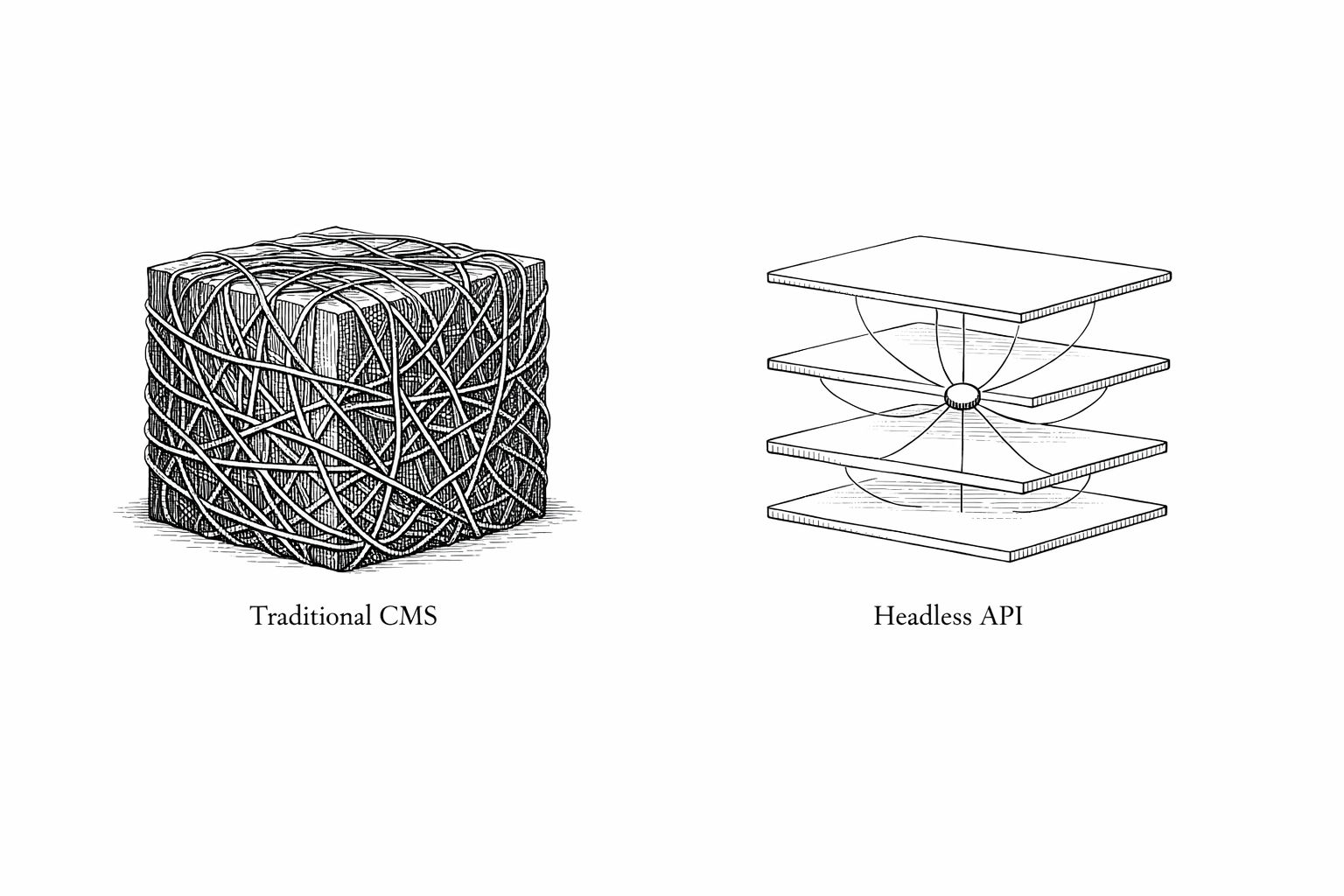
A headless blog API solves this by stripping the “head” off your CMS. No themes. No PHP rendering. No plugin soup. Just structured content delivered as JSON over HTTP, consumed by whatever frontend you’re already building.
This isn’t a niche pattern anymore. 73% of businesses now run on headless architecture — a 40% increase since 2019, according to Swell’s industry data. And 74% of the holdouts plan to switch within two years (Storyblok, survey of 1,719 CMS users). Let’s look at what’s actually happening under the hood.
What a Headless Blog API Actually Does
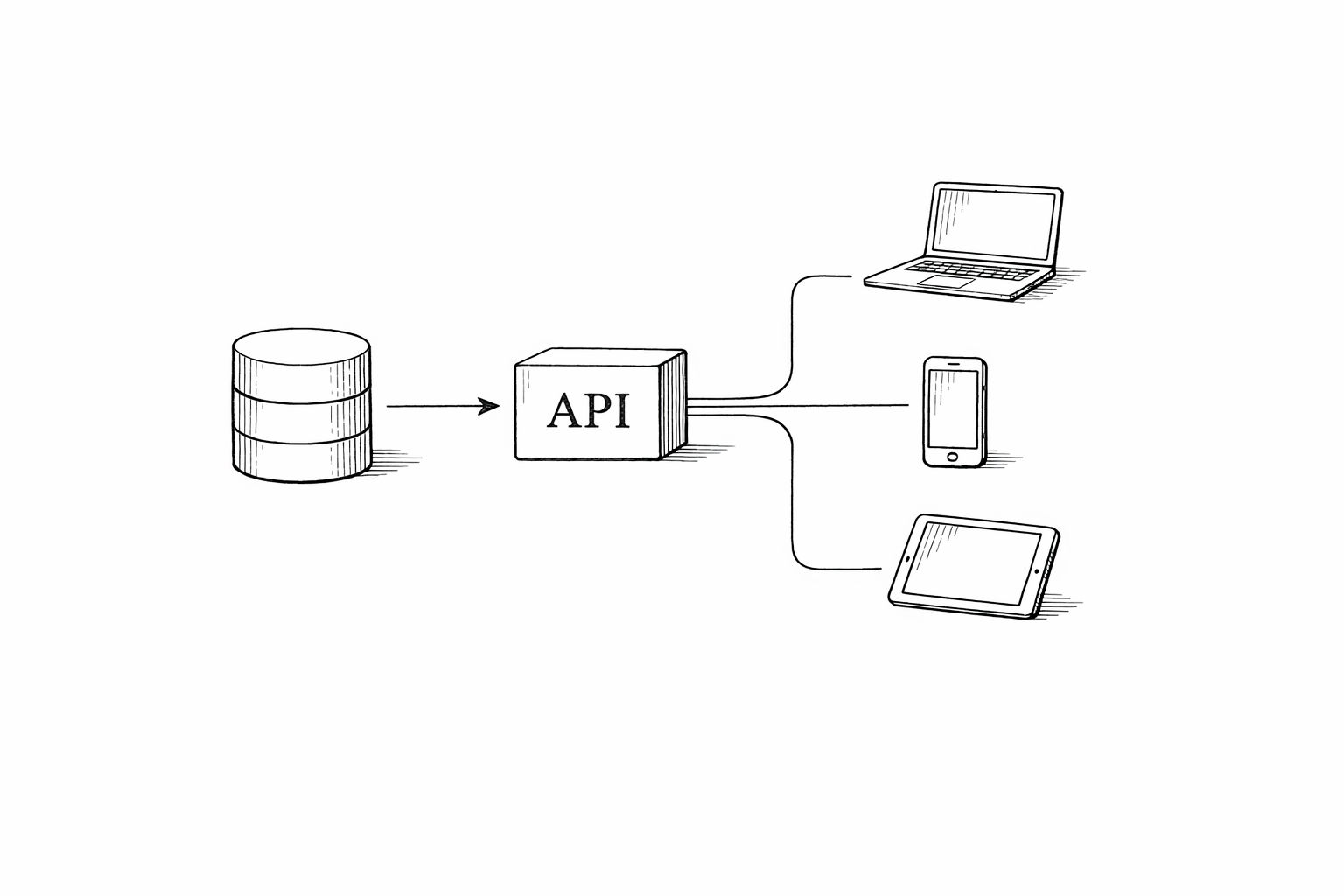
At its core, a headless blog API is an HTTP interface that returns your blog content as structured data. You send a request, you get JSON back. Your frontend — whether it’s Next.js, Astro, a React Native app, or a custom static site — decides how to render it.
No server-side HTML generation. No theme layer. No database queries running on every page load.
text
// Typical headless blog API request
const response = await fetch('https://api.yourblog.com/posts?slug=scaling-to-10k-users');
const post = await response.json();

// What you get back:
{
  "id": "post_847",
  "title": "How We Scaled to 10K Users",
  "slug": "scaling-to-10k-users",
  "content": "<p>Structured HTML content...</p>",
  "publishedAt": "2026-02-01T09:00:00Z",
  "seoTitle": "Scaling to 10K Users — The Playbook",
  "seoDescription": "Our exact growth strategy...",
  "featuredImage": {
    "url": "https://cdn.yourblog.com/images/featured.webp",
    "alt": "Growth chart showing 10K milestone",
    "width": 1200,
    "height": 630
  },
  "tags": ["growth", "engineering"],
  "readTime": 7
}
That’s the whole model. The API handles content storage, CDN delivery, image optimization, and SEO metadata. You handle presentation. This separation is what makes the architecture so powerful for developer teams.
The headless blog API sits between your content and every frontend that needs it.
The Performance Gap Is Not Subtle
This isn’t a marginal improvement. The numbers between traditional CMS rendering and API-first content delivery are wildly different.
Performance benchmarks: traditional CMS vs headless architecture. Sources: PageSpeedMatters 2026 analysis, Veza Digital, DebugHawk WordPress Performance Report 2025.
Metric
Traditional CMS
Headless Blog API
Improvement
Time to First Byte (TTFB)
380–680ms
95–200ms
60–85% faster
Page Load Time
3–5 seconds
1–2 seconds
30–50% faster
Mobile LCP (p75)
2.4s
1.5s
38% faster
Interaction to Next Paint (INP)
220–310ms
110–145ms
40–55% faster
Core Web Vitals Pass Rate
28–58%
65–78%
+20–37 percentage points
These numbers matter for two reasons. First, Google uses Core Web Vitals as a ranking signal — if your blog fails CWV, you’re fighting uphill for every keyword. Second, 53% of mobile users abandon sites that take more than 3 seconds to load (Google’s own research). A 1-second improvement in load time lifts conversions by 2%.
One real-world case: a major online retailer switching to headless saw a 67% page load reduction, 89% improvement in time-to-interactive on mobile, and a 42% conversion rate increase (Cosmic CMS case study). Those aren’t hypothetical projections.
Caveat: headless doesn't guarantee speed
About 35% of headless migrations actually underperform traditional CMS — usually due to over-hydration, excessive client-side JavaScript, or too many chained API calls (PageSpeedMatters 2026). The architecture gives you the ceiling. Your implementation determines whether you hit it.
The 5 Jobs a Headless Blog API Handles
A well-built headless blog API isn’t just a dumb content pipe. Here’s what it should be doing for you:
1. Content Delivery via REST or GraphQL
The core job. Your API serves blog posts, categories, tags, and author data as structured JSON. REST endpoints are simpler to cache at the CDN level. GraphQL lets you request exactly the fields you need in a single call — useful when you’re building multiple views (blog index, post detail, related posts sidebar) from the same data.
Best-in-class API response times sit at 100–300ms. With CDN edge caching, you cut that by another 40–60% — meaning your blog content arrives in under 100ms for most users.
2. SEO Metadata Management
Every post response includes its own seoTitle, seoDescription, Open Graph tags, canonical URLs, and structured data. Your frontend doesn’t need to compute this — it just reads the API response and drops the values into <head>. This is critical for ranking well on Google without building a custom SEO layer.
3. Image Optimization and CDN Delivery
Blog images are the biggest payload on most pages. A headless blog API handles image transforms (resizing, format conversion to WebP/AVIF, responsive srcsets) at the CDN level, not in your application code. This alone can shave seconds off your LCP.
4. Search, Filtering, and Pagination
Endpoints for ?tag=seo, ?category=growth, ?page=2&limit=10 — the API handles all the content querying. Your frontend stays thin. No database access, no query logic, no ORM.
5. Webhooks and Build Triggers
When a post is published or updated, the API fires a webhook. This triggers your static site generator to rebuild, your CDN to purge cached pages, or your Slack to notify the team. Content changes propagate automatically — no manual deploys.
The composability advantage
Because everything flows through an API, you can plug in analytics tools (43% of headless users do), CRM systems (41%), and security layers (42%) without touching your content architecture. Same content, infinite integrations — from a single source of truth (Swell headless commerce data).
Why Developers Specifically Love This
The 99%-satisfaction stat from Storyblok’s survey of 1,719 CMS users isn’t random. Here’s what drives it:
Framework freedom. Use Next.js, Astro, Nuxt, SvelteKit, Remix — whatever your team already knows. The API doesn’t care. No more building your product in React and your blog in PHP.
Parallel development. Front-end and back-end teams work independently. The content team publishes posts while you ship features. No merge conflicts between your blog theme and your app code.
CI/CD-friendly. Blog content lives outside your codebase. No rebuilds when someone fixes a typo. No deployment pipeline running because a marketing person updated a paragraph. Content changes flow through the API and webhooks, not through git push.
No WordPress tax. WordPress’s uncached TTFB hits 723ms (median). Its public pages run 55 database queries per load. Admin pages spike to 1,598 queries at the 95th percentile (DebugHawk 2025). A headless blog API replaces all of that with a single cached HTTP response.
Headless Blog API: Honest Tradeoffs
Headless Blog API
Sub-200ms TTFB with CDN caching (vs 380–680ms traditional)
Use any frontend framework — React, Astro, Svelte, whatever you ship with
Content team publishes independently of dev deploys
65–78% Core Web Vitals pass rate vs 28–58% for traditional CMS
Same API feeds web, mobile, and any other channel
No PHP, no plugins, no theme layer to maintain
Headless Blog API
Requires frontend dev work — no out-of-the-box templates
35% of headless migrations underperform due to poor implementation
Preview/live editing is harder than WordPress's built-in preview
You own the rendering layer — SEO, sitemaps, and structured data are on you
More complex debugging across API + frontend vs single monolith
When a Headless Blog API Makes Sense (and When It Doesn’t)
If you’re building a SaaS product with a modern frontend framework, a headless blog API is almost certainly the right call. You keep your entire stack in one language, your blog matches your product’s design system, and you don’t maintain a separate WordPress instance.
Go headless if:
Your product is built with React, Next.js, Astro, or similar
You don’t have time to manage WordPress updates, plugins, and security patches
You need blog content in multiple places (web, docs, in-app)
Think twice if:
You’re a solo non-technical founder who needs to edit content in a WYSIWYG right now
Your blog is a standalone marketing site with no custom frontend
You have no developer time to build the rendering layer
The honest answer: for technical founders and dev teams, headless is the default now. 44% of organizations already use headless CMS, and the market is growing at 21% CAGR (Market Research Future). The traditional CMS is the exception, not the rule.
Of course, the architecture is only half the equation. A headless blog only works if you have a consistent stream of content to serve through it. That’s where a solid SaaS content strategy makes all the difference — structure without content is just an empty API.
What This Looks Like in Practice
Here’s the flow for a SaaS startup using a headless blog API:
Content gets created — either by a human in a CMS dashboard or generated by an AI content engine
API serves the content — GET /posts returns JSON with full SEO metadata, optimized images, and structured content
Your frontend renders it — Next.js (or whatever) fetches from the API at build time (SSG) or request time (SSR/ISR)
CDN caches the result — first request builds the page, subsequent requests get sub-100ms responses from the edge
Webhooks keep it fresh — new post published? The API triggers a rebuild or cache purge automatically
No WordPress admin to log into. No plugin updates breaking your layout. No separate hosting bill for a PHP server. Just API calls and JSON.
The bottom line
A headless blog API turns your blog from a maintenance burden into infrastructure that just works. Sub-200ms content delivery. Framework-native rendering. Zero WordPress baggage. For developer teams, this is the architecture that lets you build topical authority without building a content platform from scratch.
Want Your SaaS Blog to Rank on Google — Without the Maintenance?
Vibeblogger is the AI content team for founders. We handle the entire blog pipeline — keyword research, writing, images, SEO metadata, and publishing — all delivered through a headless blog API that plugs into your existing frontend. No WordPress. No freelancers. Just consistent, optimized content on autopilot.